
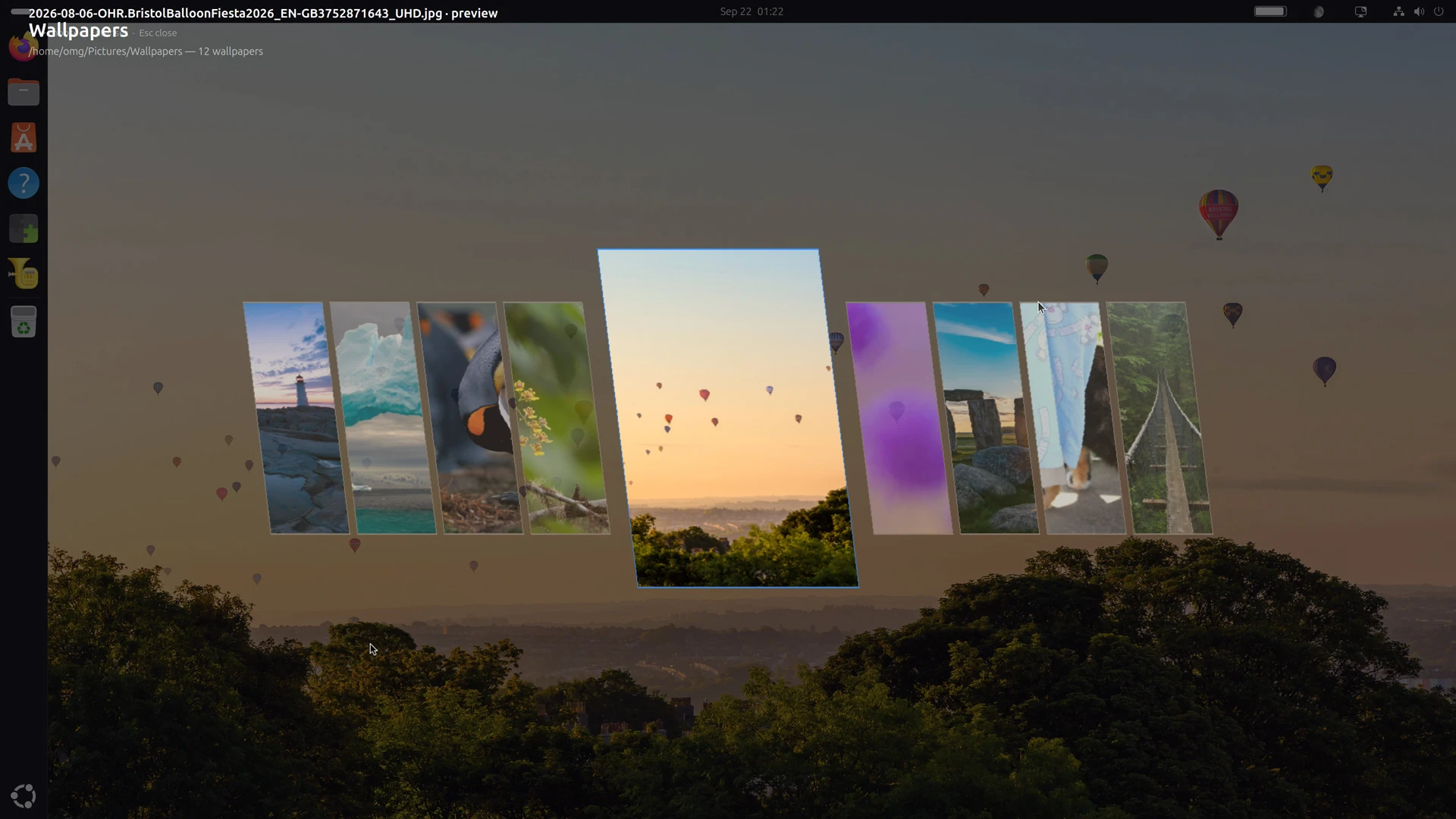

Wallpapi is an Omarchy-inspired wallpaper switcher for GNOME desktops that offers a slicker.
When installed, it lets you “browse a folder of wallpapers as a full-screen carousel of parallelogram cards”.
As you page through available options, the focused image is previewed as your wallpaper in the background, so you can see it larger, which is pretty cool.
When you spot the drape you want, you hit Enter to set it as the desktop background.
Choices are scheme-aware. If a light or dark variant is available, Wallpapi will set the correct version of an image per your system dark mode preference.
Caching is also used to keep image previews somewhat instantaneous. However, I found the extension slow to load the sheared cards in folders full of high-resolution images. That may be a bug, or it may be a ‘my device is too much of a potato’ issue.
Preferences-wise, Wallpapi keeps things trim. You can you set a master folder of background images to draw from, and choose whether it should also include images from any subfolders within it. No auto-change settings, blur effects or anything else.
There’s no animation between the focus card (which appears larger to denote focus) and adjacent ones, which does feel a bit abrupt. The background previews do use a fade transition as you page. That helps draw the eye’s focus.
I find an interesting and novel take. Wallpaper shufflers, switchers fetchers are common, but this does something different. I would love to see it offer an option to loop images in a ‘never ending carousel’, rather than ‘hard stop’ at the first/last image.
OMGarchy?
Brace for gnashing: this extension states that it is inspired by the wallpaper picker in Omarchy1. For anyone not hooked up intravenously to Linux social media drama, it’s an increasingly popular Linux distribution that’s gained a lot of funding of late.
Oh, and ire due to its founder’s political views.
However, Wallpapi is nothing to do with Omarchy and hasn’t been made by DHH. And while the style is novel, it’s also not unique to that distro. Visually, my first thought was that it borrowed from the Art Book Next theme used on retro gaming systems like Batocera.
If you want to try it out, you can; Wallpapi works with GNOME 50 (Ubuntu 26.04 LTS). You can install it from the same place you install the rest…
Get Wallpapi on GNOME Extensions
- Long-time readers may recall Omakub, a script I covered many moons ago. You’d run it on a vanilla Ubuntu install to turn it into a dev-focused setup. The author of Omakub later retooled it for Arch and that became the basis of this distro. ↩︎